Not everyone learns by reading. Some people prefer video. Some need it — accessibility isn't optional. And sometimes a 60-second walkthrough communicates what 2,000 words can't.
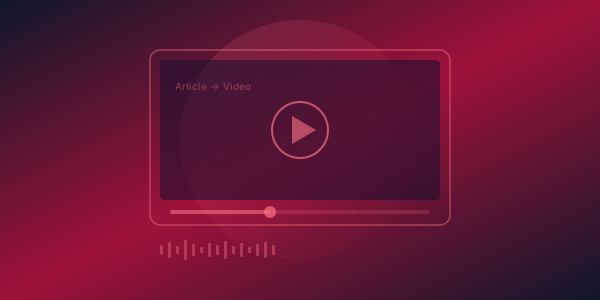
Today we're launching Video Studio — built directly into FinalDoc. Select an article, and Video Studio converts it into a narrated video with AI voiceover, scene transitions, and professional formatting.
Why Video in a Documentation Platform?
We talked to 50 documentation teams about their content strategy. The answers were remarkably consistent:
- 78% said they want to create video tutorials but don't have the tools or time
- 65% said their users specifically request video content
- 42% maintain a separate YouTube channel — disconnected from their docs
The problem isn't demand. It's that creating video documentation traditionally requires screen recording software, video editing skills, microphone setup, and hours of post-production. Most documentation teams don't have those resources.
Video Studio eliminates the production barrier. If you can write an article, you can create a video.
How It Works
Article-to-Video
Select any published article and click "Create Video." Video Studio breaks your article into scenes — typically one scene per heading section. Each scene gets:
- Text overlay — key points from the section, formatted for readability on screen
- AI voiceover — natural-sounding narration powered by OpenAI TTS with the nova voice
- Transitions — smooth scene transitions that maintain visual flow
Text-to-Video
Don't have an article yet? Type or paste any text, and Video Studio generates a video directly. Great for announcements, release notes, or quick explainers that don't need a full article.
Non-Linear Editor (NLE)
After generation, the NLE lets you customize every scene:
- Reorder scenes — drag and drop to rearrange
- Edit text — modify the on-screen text for any scene
- Adjust timing — control how long each scene displays
- Scene operations — add, duplicate, or delete scenes
The NLE gives you control without requiring video editing expertise. Think of it as a slide deck editor for video.
Use Cases
Product Walkthroughs
Convert your "Getting Started" guide into a 3-minute video. New users watch instead of reading, and comprehension goes up.
Release Notes
Turn your monthly changelog into a narrated video. Share on social media, embed in your app, or email to customers.
Training Materials
Internal SOPs as videos for onboarding. New hires watch instead of reading a 50-page handbook.
Accessibility
Voice narration makes your documentation accessible to users with visual impairments or reading difficulties.
Pricing
Video Studio is available on Business and Enterprise plans. Each video generation costs 20 AI credits. Business plans include 10,000 credits/month — enough for 500 videos.
Videos are stored in your FinalDoc Drive and can be embedded in articles, shared via link, or downloaded.
What's Next
We're working on screen capture integration — record your app's UI directly in Video Studio and combine it with AI narration. Coming Q2 2026.
Try Video Studio today: go to AI Studio → Video Studio in your sidebar, or click "Create Video" on any article.