
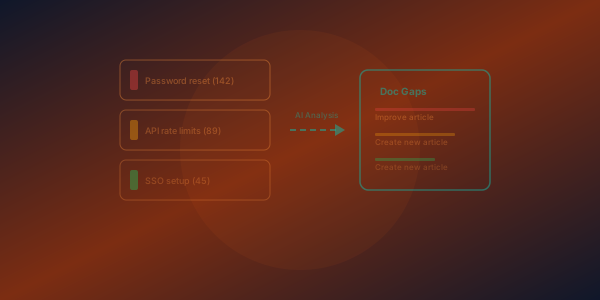
Documentation teams spend a lot of energy guessing what to write next. Which is odd, because readers tell you constantly — in the search box, and by hitting pages that do not exist.
Both signals are already being recorded on your knowledge base. Most teams never look at them.
The searches that returned nothing
A zero-result search is the purest form of feedback you can get. Someone wanted something specific, believed you would have it, typed it in their own words, and got an empty page.
Two things are worth noticing about those queries. The first is obvious: they are gaps. The second is subtler and often more valuable — the wording. Readers rarely search using your internal vocabulary. If people search for one word and your article uses another, you do not have a content gap at all. You have a vocabulary gap, and the fix is a sentence, not an article.
On our own knowledge base the zero-result list included searches in Spanish. That is not a missing article — it is a signal about who is reading, and an argument for translation rather than for writing.
The links that led nowhere
Separately, FinalDoc records requests for pages that do not exist. These accumulate faster than most teams expect, and they come from places you cannot see in your own analytics: an old URL someone bookmarked, a link in a support macro that was never updated after a restructure, a path in a blog post from two years ago, a slug that changed during a migration.
Each one is a reader who arrived with intent and got nothing. Unlike a zero-result search, this one is usually cheap to fix: a redirect rule, which takes seconds and rescues every future visitor following the same stale link.
Reading the two together
The signals answer different questions, and they are strongest in combination:
- Missing pages tell you what used to exist, or what someone linked to expecting it to exist. Fix with redirects.
- Zero-result searches tell you what readers expect you to cover. Fix with an article — or with better wording in one you already have.
- A query that repeats is not one reader's problem. It is a recurring one, and it is worth prioritising above anything on your backlog that nobody asked for.
Turning it into work
If you would rather not read the list yourself, an AI Writer can watch it for you. The Draft articles from content gaps task monitors reader searches that returned nothing and drafts articles to fill them — proposals you review, not pages that publish themselves.
Either way, the discipline is the same: start the week by reading what readers could not find, before you write anything you guessed at.
Where to look
Search activity and missing-page records live in your analytics. Redirect rules are under Settings → Domain & SEO → Redirects.